
One app for the whole unit
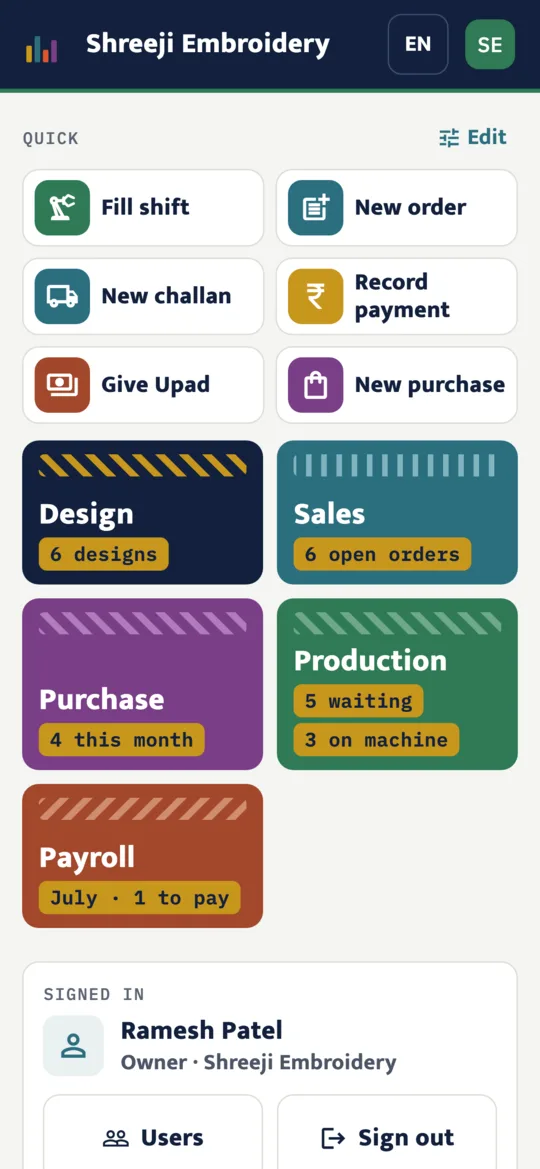
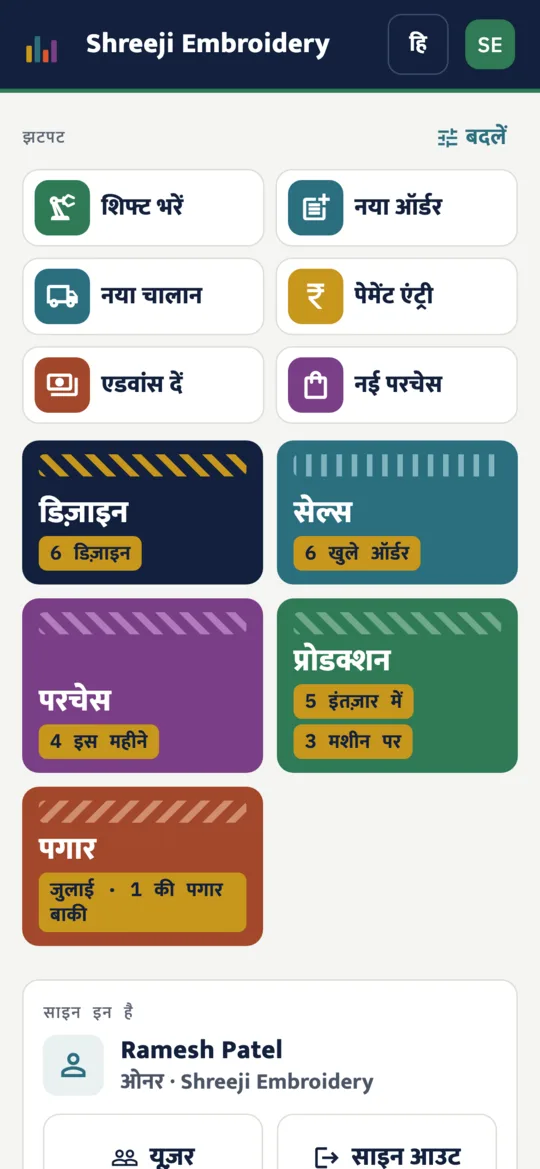
Five modules share the same designs, parties, machines and operators, so nothing is written twice.
Design
Designs with their photos, matchings and materials.
Sales
Parties, orders, delivery challans, invoices and payments.
Production
Machines, jobs and shift entries.
Purchase
Vendors and purchase bills, read from a photo of the bill.
Payroll
Operators, Upad, bonus, cuts and salary slips.
How it works
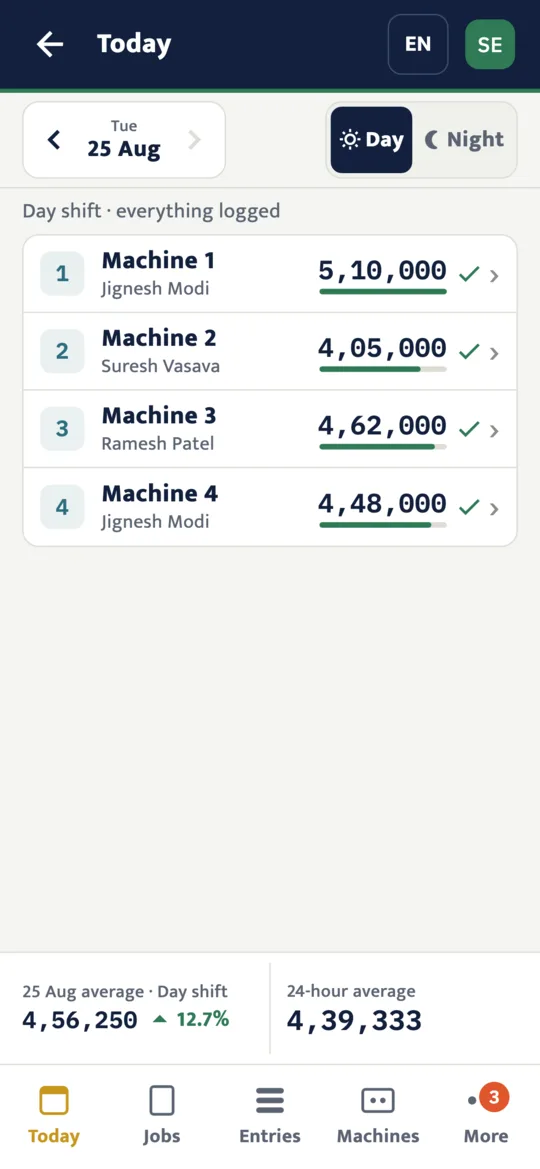
Every machine, every shift, at a glance
Today lists each machine with its operator. A logged shift shows its stitches; one not logged yet has a camera button. The shift's average sits at the bottom.
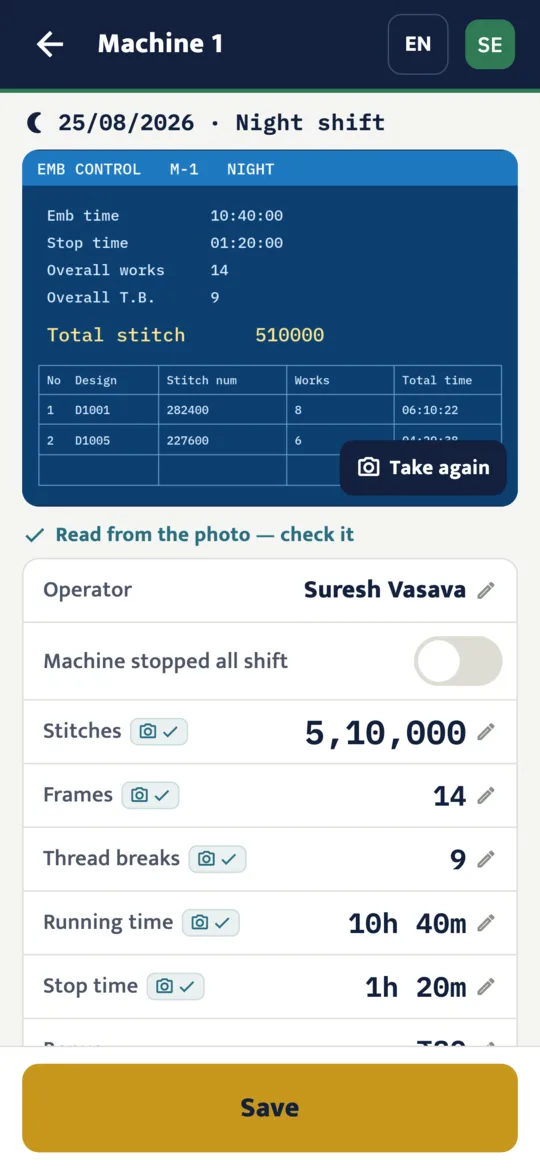
Log a shift from a photo of the machine screen
Tap the machine, take a photo of its screen and the numbers are read for you: stitches, frames, thread breaks, running and stop time. Check them and save. Three taps a shift, or type it in.
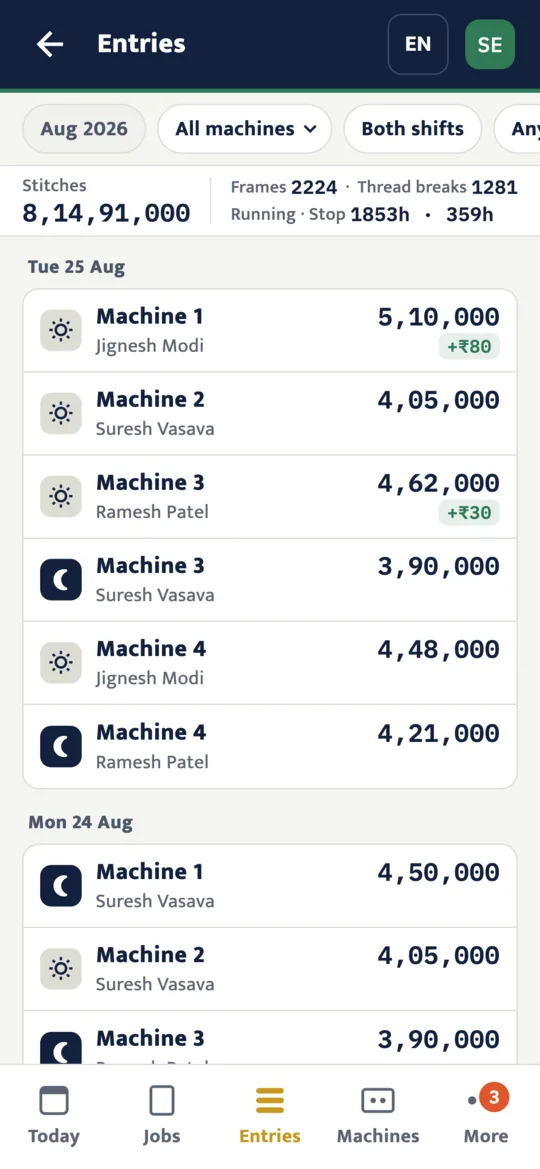
Stitches, frames and thread breaks, totalled
Every shift under its day, with the month's totals on top. Filter by machine, shift or operator, and open the photo a shift was logged from.
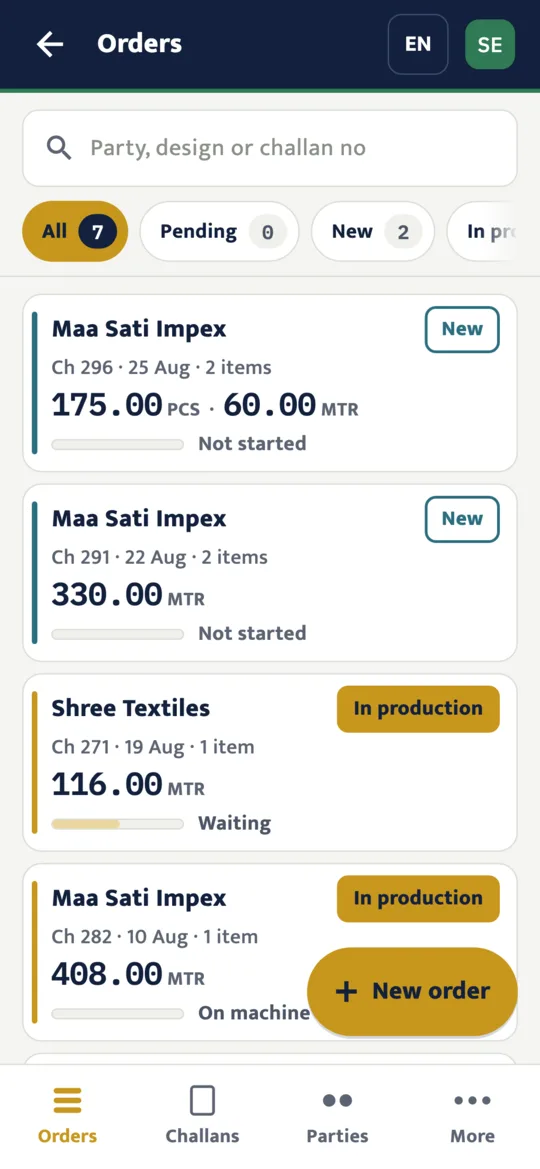
Every order and where it has got to
Take the party's order on one screen, follow it through the machines, and make the delivery challan and the invoice, with GST or without, when the work is ready.
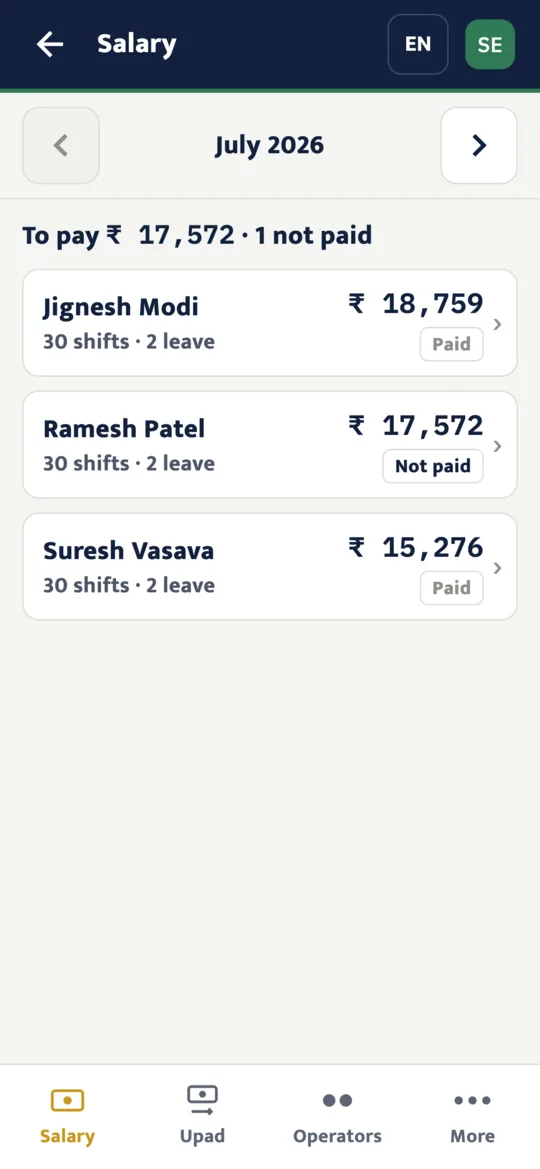
Salary worked out from the shifts
Each operator's pay for the month comes from the shifts they worked, their leave, advances (Upad), bonus and any cut. Mark it paid and print the salary slip.
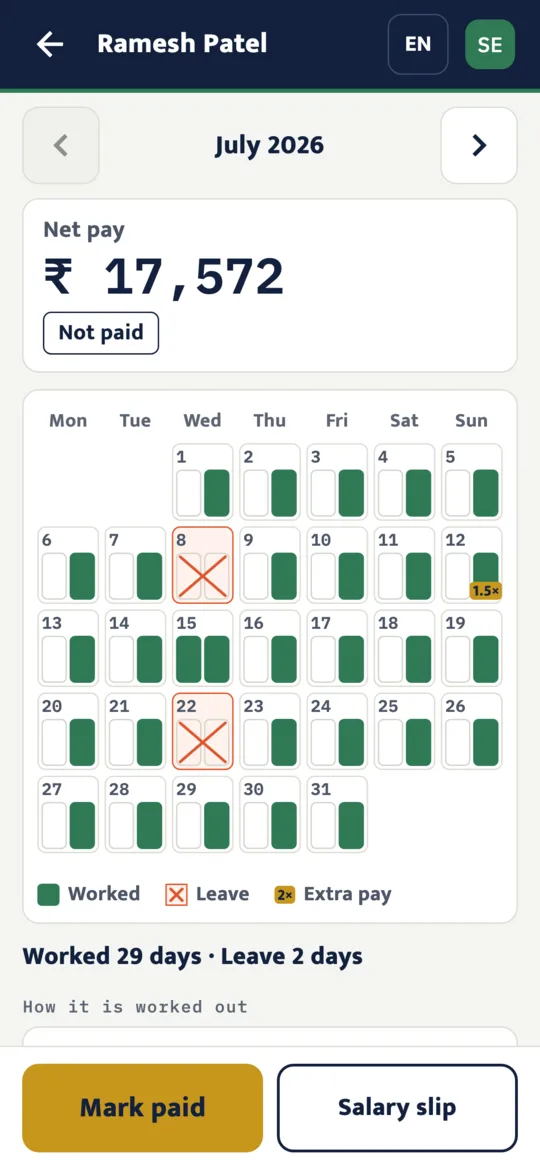
Net pay, advance and bonus for each operator
Open an operator to see the month's net pay, then the calendar of days worked, leave and extra pay, and how the amount was worked out.
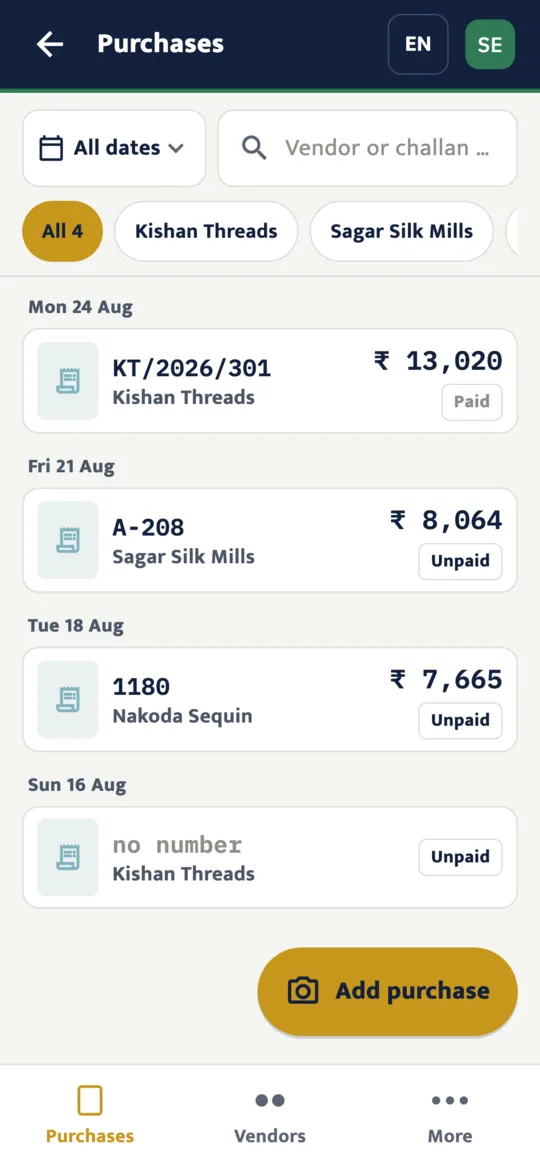
Purchases and what you owe each vendor
Take a photo of a vendor's bill and its items and total are read for you to check. Each vendor's account shows what is still to pay.
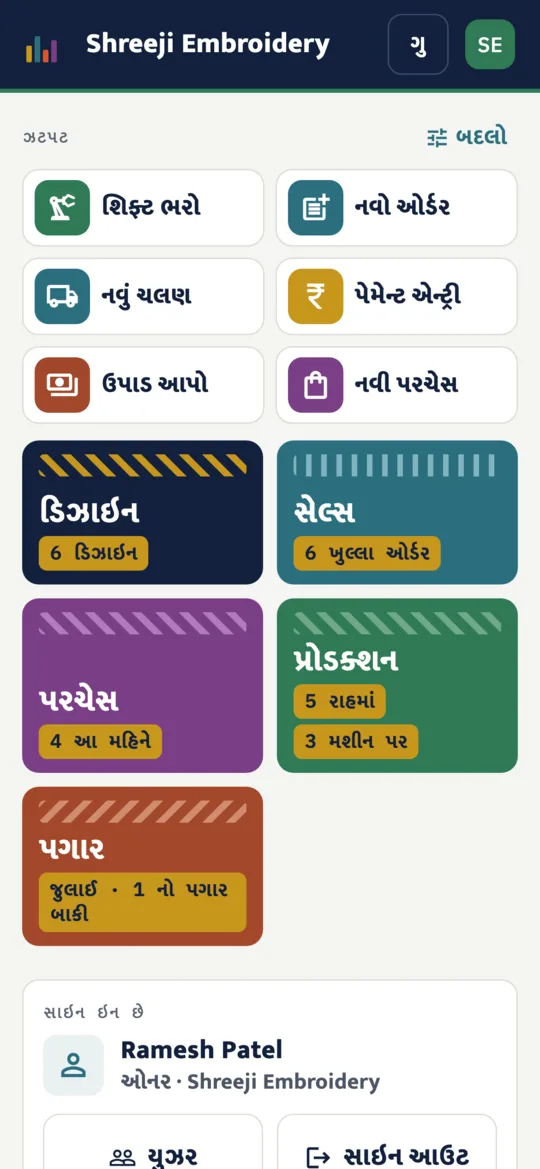
In English, Hindi and Gujarati
Each person picks their own language, and can change it at any time from the top of the screen.
Getting started
1. Ask us to set up your unit
EmbroONE is for businesses, so there is no public sign-up. Write to support@quebixtechnology.com and we create your unit.
2. Add your people
The owner adds each person's mobile number and gives them a role. The role decides which modules and amounts they can see.
3. Sign in with phone and PIN
Everyone signs in with their own mobile number and a 4-digit PIN.